
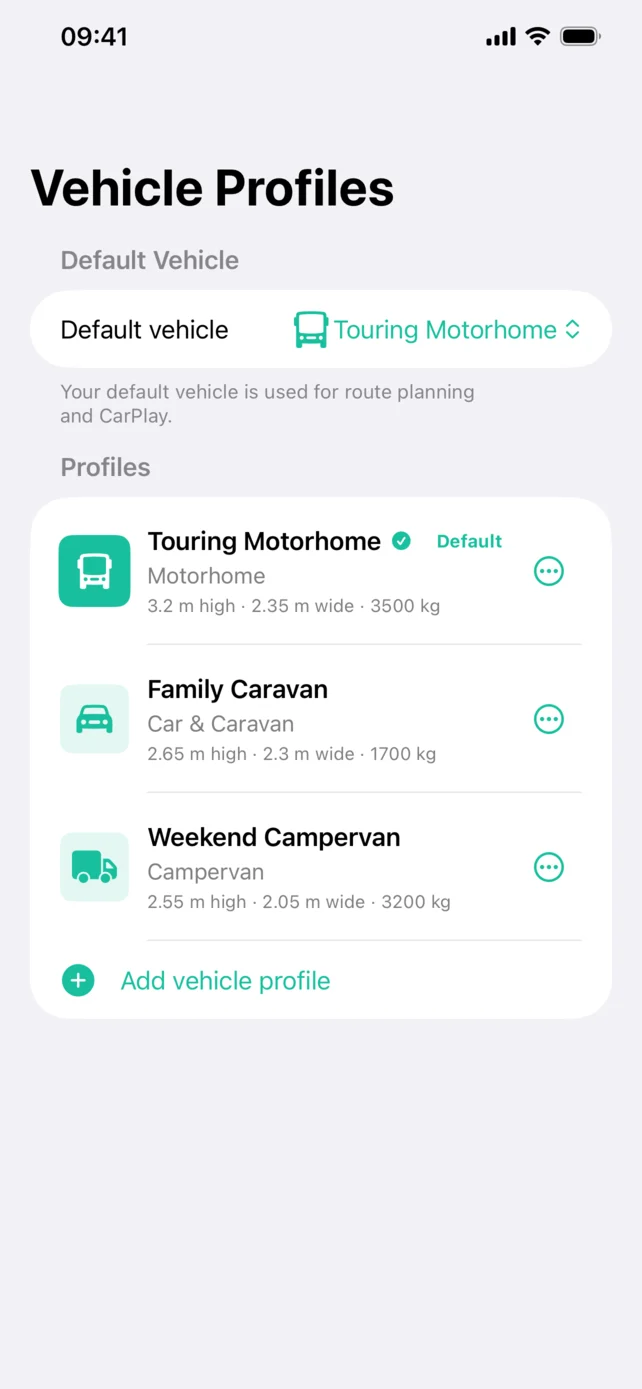
Start with your motorhome, then choose the destination
Choosing motorhome sat nav means looking beyond the quickest arrival time. The height of fitted roof equipment, the length of a rear rack and your vehicle’s weight all matter when reviewing a journey. A familiar road in a car can feel very different in a touring vehicle.
Motorhome & Caravan Sat Nav uses a saved vehicle profile when planning routes. Enter the verified height, width, length, gross weight and axle information requested by the app. You can then preview your journey with live traffic when online and use downloaded maps within supported coverage. Apple CarPlay is available on a compatible iPhone; check the current Google Play release for Android Auto availability and supported functions.
Check the details that change after purchase
A brochure is a useful starting point, but it may not describe your motorhome after accessories have been fitted. Before setting up a profile, compare the specification with the vehicle in its travelling configuration.
- Roof equipment: check whether an air-conditioning unit, aerial or roof rack changes the maximum height.
- Rear equipment: account for a bike carrier or storage box that extends the travelling length.
- Different layouts: confirm the exact model and variant rather than borrowing figures from a similar motorhome.
Follow our guide to setting up motorhome dimensions for a fuller measurement checklist.
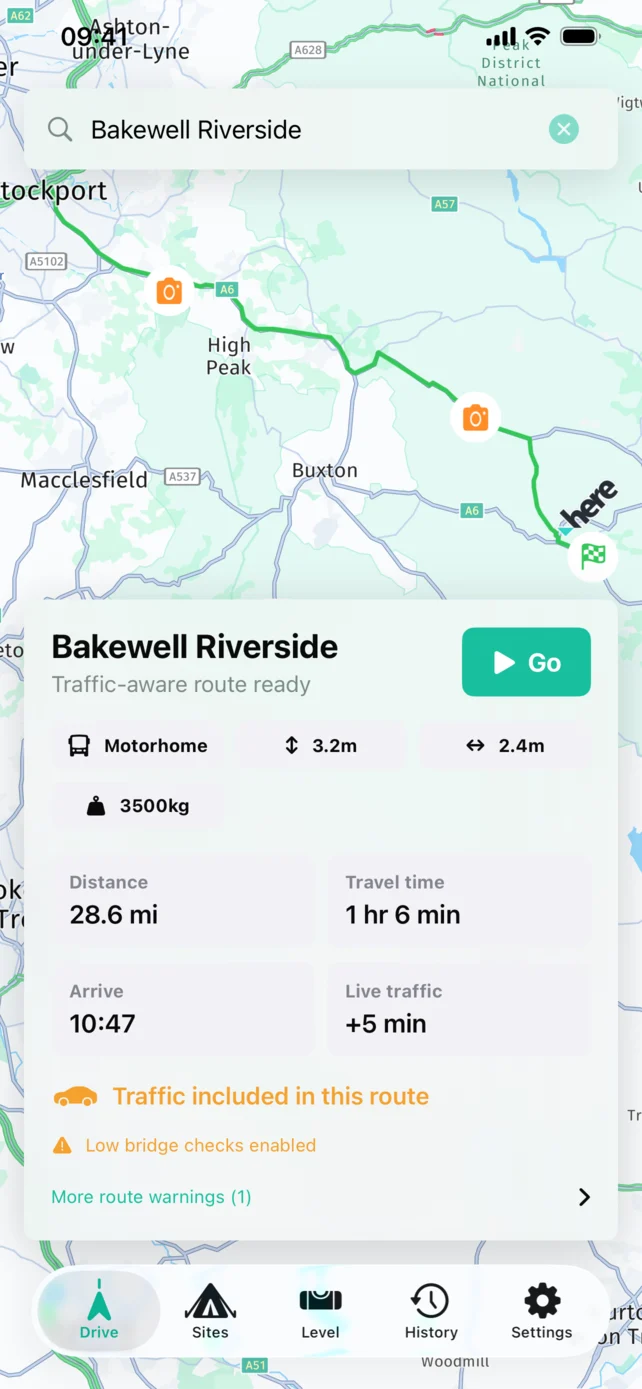
Example: your first trip with a rear bike rack
Before planning the journey, check the motorhome’s travelling length with the rack and bikes in place. Update the profile if needed, select your destination and review the final approach. Compare it with the campsite’s directions, especially where the entrance is reached by a minor road. This is an illustrative planning example, not a tested route.
From campsite search to dashboard guidance
On iPhone and iPad version 1.9.0, explore 54,000+ European campsite records, including the UK, in English, French, German, Spanish, Italian, Portuguese or Dutch. Android coverage and languages depend on its installed release. Check the site’s current booking and arrival information before travelling. Our dog-friendly campsite guide explains what to confirm before booking. For dashboard navigation, see motorhome sat nav on Apple CarPlay and Android Auto.
Check the arrival evidence
Review pin and route-arrival warnings and source-dated operator directions where available. Many campsite positions are site centres rather than verified entrances; reviewed entrance and approach guidance covers selected records only. Confirm the current approach with the site, and obey road signs and legal restrictions. Understand campsite arrival guidance.
Will it avoid every unsuitable road?
No navigation app can guarantee that. Route information can be incomplete, and temporary restrictions or an awkward entrance may not be reflected in the map. Keep checking road signs and the conditions ahead. Download maps before travelling for offline routing and search within supported coverage. Offline availability depends on your platform, app version, downloaded maps and subscription. On iPhone and iPad, offline access requires online subscription verification within the previous 24 hours. Traffic, forecasts, new cloud speech and Assistant questions need internet; cached speech may play offline, otherwise guidance continues visually.
Is an app the right choice?
If you want navigation on your existing iPhone or Android phone, start by checking compatibility and trying the app before your next long trip. The app supports low-signal navigation and downloadable offline maps. Compare map coverage, dashboard compatibility, subscription costs and whether you prefer a separate device. Read our app and dedicated sat nav buying checklist. Towing instead? See our caravan sat nav page.
Prepare the whole trip
Recent iPhone and iPad releases include multi-day plans, saved-site folders and notes, journey readiness checks, route and destination weather and wind forecasts, and expiring ETA links you can revoke. Recorded LPG, water and waste-point searches and reported fixed-camera alerts currently cover the UK. Compare current platform features before choosing your version.
Compatibility, price and support
Available on iPhone, iPad and Android. Requires iOS 16.0 or later on iPhone, or iPadOS 16.0 or later on iPad; check Google Play for Android compatibility. Eligible UK iPhone and iPad accounts can try it free for 7 days, then £3.99/month. Your store confirms local prices and trial eligibility. Check Google Play and the purchase screen for Android pricing, available offers and the terms for your account.
Developed by ClientMaster Ltd. Check the official App Store listing or Google Play listing for release details and customer ratings, or contact our team with a product question.